
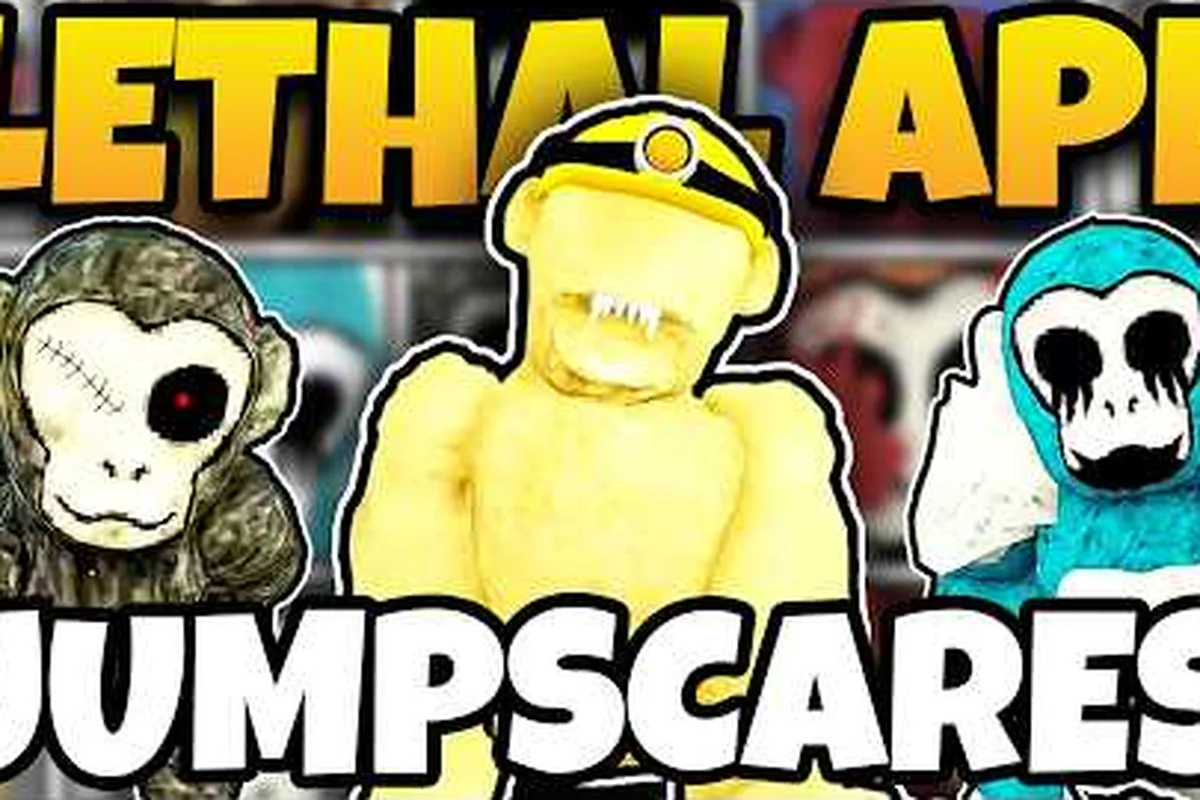
Lethal Ape does not ship with an official map download button, so the community has filled the gap with FBX exports, Fandom reference pages, and YouTube walkthroughs that document every lab, cave, and forest corridor. This guide compiles the working Lethal Ape map download options, shows where the closest thing to a Lethal Ape full map lives, and explains which Lethal Ape lab map reference is reliable enough to study before a serious run.
Why Community Maps Exist for Lethal Ape
The game is built inside Roblox, which means there is no .pak or .unitypackage you can simply extract. To get a usable Lethal Ape map download, players have reverse-engineered the level geometry, exported it as 3D model files, and shared it on itch.io and Discord. The result is a small but useful library of offline references that cover the Lab, the Forest, and the Caves game mode.
Three sources dominate. First, the Lethal Ape Redux Map FBX on oreoondavr.itch.io is the most widely cited offline export of the Redux lab geometry. Second, the Caves article on the Roblox Lethal ape Wiki provides a written layout for the dark-caves game mode, including the wooden platform and the abandoned storage exit zone. Third, walkthrough channels like Dizzy's compilation stitch together the three playable maps with monster and jumpscare callouts for visual learners.
| Source | Format | Best For | Reliability |
|---|---|---|---|
| Lethal Ape Redux Map (itch.io) | FBX (~20 MB) | Offline 3D study, fan recreations | High — community-vetted |
| Roblox Lethal ape Wiki (Fandom) | Written layout, screenshots | Route planning, exit locations | Medium — community-maintained |
| YouTube walkthroughs (e.g. Dizzy) | Video tour | Visual learners, monster layering | Medium — depends on patch |
| Discord pinned schematics | Image / PDF | Lethal Ape spawn locations on a specific patch | Low — version-sensitive |
The practical takeaway is that no single source gives you a complete Lethal Ape full map. You will combine the FBX export for the Lab, the wiki for the Caves, and a recent video for the Forest to cover all three game modes.
The Lab Map: FBX, Screenshots, and the Redux Reference
The Lab is the most mapped location in the ecosystem, largely because it is the original Lethal Ape experience. The Redux version cleaned up the geometry and made it easier to export, which is why almost every Lethal Ape lab map reference you find online points to the Redux rebuild.
Getting the Redux FBX
The itch.io listing bundles a ModelsLar.fbx file of approximately 20 MB. The export contains the main hall, the side corridors that branch into the monster rooms, the back storage area, and the ceiling catwalk that most players never reach. Once you open the FBX in Blender, Unity, or any standard 3D viewer, you can rotate around the level freely, measure distances between rooms, and mark candidate Lethal Ape safe zones for your own speedrun notes.
The file is best treated as a structural reference rather than a pixel-perfect copy. Some props are simplified, a few light fixtures are missing, and the monster trigger volumes are obviously stripped out — the FBX tells you where the geometry sits, not how the monster AI patrols it. Pair the FBX with a recent video to overlay spawn behavior, and you get a much more useful picture than either source alone.
What the FBX Does Not Show
A common mistake is to assume the FBX includes spawn data. It does not. Lethal Ape spawn locations are scripted server-side and rotate between rounds, so a static model cannot tell you which monster appears in which room on any given run. For that, you still need either the Lethal Ape monster category page (which lists around 55 community-tracked creatures including Sandman, Ashy, Dus, Gus, Kus, Lost, Scar, Gooba, Fearful, Flesher, Fluddy, Fred, GLI.TCH., Bloody Ashy, Horror Sandman, and Horror Gus) or a recent YouTube compilation.
A second limitation is that the Redux export predates several post-Redux updates. According to community reports, the layout matches the current patch closely, but minor decorative geometry has shifted in the corners of the back rooms. Treat the FBX as a 90-percent reference, and verify any tight jump or crate stack against an in-game screenshot before you commit a run to it.
Inside the Caves: Darkness as the Main Threat
The Caves are a different problem. There is no FBX export of any quality for the caves layout, because the dark-caves mode leans on lighting and post-processing that does not survive a model export. The community's working answer is the written wiki layout, combined with screenshots and player-recorded exit routes.
The Standard Exit Route
According to the Caves wiki entry, the run begins on a wooden platform that crosses a gap near the center of the cave. From the platform, players descend into the lower tunnels and eventually reach an abandoned storage area that opens onto the outside zone. That storage-to-outside transition is the community's standard exit route, and it is the single piece of geography most Lethal Ape safe zones discussions reference when players talk about Caves.
The wooden platform itself doubles as a temporary Lethal Ape safe zone in the early game, because the monsters that spawn in Caves generally patrol the lower tunnels and the outside zone first. Standing still on the platform for a few seconds is a recognized panic-button move, although it is not safe for long — once a monster's audio cue starts, you need to move.
Why an Official Caves FBX Does Not Exist
The dark-caves mode relies on near-black ambient lighting, dynamic flashlight cones, and conditional fog volumes that only activate in certain tunnel segments. None of that translates into an FBX, so even if a creator exported the geometry, the resulting file would be visually misleading. The wiki approach — written prose plus annotated screenshots — is genuinely the best format for this map, and it is the format that experienced players recommend when newcomers ask for a Caves Lethal Ape map download.
The Forest Map and the Hidden Areas Question
The Forest is the third playable space in the Lethal Ape ecosystem, and it is the one most likely to be confused with the Lab geometry. Many of the trees and the perimeter fence are reused from the Lab, but the Forest adds a forward-facing clearing, a shack near the back-left, and a creek bed that players often mistake for the exit.
| Feature | Reused from Lab | Unique to Forest | Player Use |
|---|---|---|---|
| Tree cluster geometry | Yes (Lab asset) | No | Pure visual filler, no navigation value |
| Perimeter fence mesh | Yes (Lab asset) | No | Identical collision bounds, do not trust as exit marker |
| Forward-facing clearing | No | Yes (Forest only) | Primary monster sightline, used for spawn detection |
| Back-left shack | No | Yes (Forest only) | Common community hiding spot, not a Safe Zone |
| Creek bed (false exit) | No | Yes (Forest only) | Misread as the exit; dead-ends into the shack loop |
| Lab ModelsLar.fbx reference (≈20 MB) | Yes (Lab source) | No | Confirms the fence/trees are the same Lab mesh |
Lethal Ape Hidden Areas in the Forest
Community testing has logged four Lethal Ape hidden areas in the Forest that are easy to walk past on a first run:
-
The shed behind the back-left shack — a small wooden shed with a one-way window. Players who crouch behind it are usually safe from line-of-sight monsters, but not from audio-triggered ones.
-
The hollow tree near the creek — a low-poly tree stump that conceals a small alcove. It is technically out of bounds, but monsters do not path into it consistently, so experienced players use it as a panic spot.
-
The drainage culvert under the perimeter fence — a tight crawlspace that lets you cross from the Forest into the outer buffer zone without crossing the main clearing.
-
The attic of the front shack — reachable by stacking two crates against the back wall. It is a known Lethal Ape safe zone, but it is also a known monster spawn point on certain seeds, so treat it as situational.
The catch is that none of these are flagged on any official map, because the official map does not exist. They are documented in Discord pins and YouTube walkthroughs, and they shift slightly when the developer pushes a new patch. Treat any hidden-area list as a starting point, then verify it in your own run.
How to Cross-Reference Hidden Areas
The most reliable workflow is to open the Lab FBX in a 3D viewer, position your camera at the Forest clearing, and overlay a recent YouTube walkthrough of the Forest on a second monitor. Where the video shows a player crouching behind a prop that does not appear in the FBX, you have found a Forest-only Lethal Ape hidden area. The FBX gives you the structural baseline, and the video gives you the runtime behavior, and the combination is far more useful than either source on its own.
Safe Zones, Spawn Locations, and How to Read Them Together
Safe zones and spawn locations are the two halves of every Lethal Ape map discussion. A safe zone only matters if you can reach it before a monster spawns on top of you, and a spawn location only matters if you know which nearby safe zone to bail toward. The community's working assumption is that there are roughly four spawn archetypes — corner, corridor, central, and elevated — and that the same archetypes appear in the Lab, the Forest, and the Caves.
| Spawn Archetype | Typical Location | Closest Safe Zone | Counter |
|---|---|---|---|
| Corner | Back-left or back-right of the main hall | The shed / the back wall alcove | Move diagonally to the opposite corner |
| Corridor | Inside a side corridor with one entrance | The catwalk ceiling hatch | Climb the stack of crates at the corridor mouth |
| Central | The main hall center, often near the lantern | The wooden platform (Caves) or the attic | Break line of sight behind any mid-room prop |
| Elevated | The catwalk or the back balcony | The drainage culvert or the back wall | Drop immediately and move toward the nearest door |
These archetypes are community-reported and based on the Lethal Ape monster category wiki cross-referenced with player-recorded runs. They are not official, and they shift between patches, but they are stable enough that experienced players plan their routes around them.
Reading a Map for Spawn Pressure
When you open the Redux FBX, look for the four landmarks above — a back-left corner, a back-right corner, a corridor mouth, and a central lantern. Mark each one on your model. Then watch two or three recent YouTube runs and note which monster spawns at which landmark. Over time, you will start to see a pattern: certain monsters prefer corners, others prefer corridors, and the elevated catwalk is overwhelmingly a Horror-tier spawn. That pattern is the real value of a Lethal Ape full map reference — it lets you predict pressure before you enter a room.
When a Safe Zone Is Not Safe
Every community-cataloged Lethal Ape safe zone has a known counter. The attic spawns monsters on certain seeds. The drainage culvert is exposed to audio triggers from the perimeter fence. The hollow tree is out of bounds and will reset your position on some patches. The only universally safe behavior, according to community testing, is continuous movement toward an exit, and the safe zones are best used as brief pauses rather than as hiding spots. If you want a deeper breakdown of which spots hold up across patches, the hiding-spots breakdown covers the same geography from a survivability angle.
Frequently Asked Questions
Is there an official Lethal Ape map download?
No, the developer has not published a downloadable map. The closest equivalent is the community-made Lethal Ape Redux Map FBX on oreoondavr.itch.io, which exports the Redux lab geometry as a roughly 20 MB model file that you can open in Blender or Unity for offline study.
Where can I find a Lethal Ape full map of the Caves?
The Caves article on the Roblox Lethal ape Wiki is the community's standard reference. It documents the wooden platform at the center, the descent into the lower tunnels, and the abandoned storage area that opens onto the outside exit zone.
How accurate is the Lethal Ape lab map FBX?
The Redux FBX is roughly 90 percent accurate to the current patch. It captures the main hall, side corridors, monster rooms, and the catwalk, but it strips out props, lighting, and spawn data. For spawn behavior you still need a recent video or the monster category wiki.
Where are the best Lethal Ape safe zones?
Community testing points to four high-value safe zones: the attic of the front shack (Forest), the drainage culvert under the perimeter fence, the wooden platform at the center of the Caves, and any side corridor with a stackable crate at its mouth. All four are situational, and none of them are universally safe across patches.
How do I track Lethal Ape spawn locations between patches?
There is no automated tracker, so the working method is to log your own spawns in a spreadsheet and cross-reference them with the Lethal Ape secrets and badges notes. Over ten to fifteen runs you will start to see which corners and corridors favor which monsters, and you can update the spreadsheet after each new patch lands.